Proto-Review
A pinned-comment, scored, and screen-recorded review tool for Claude Design prototypes. Upload a zip, share a link, watch the replay.
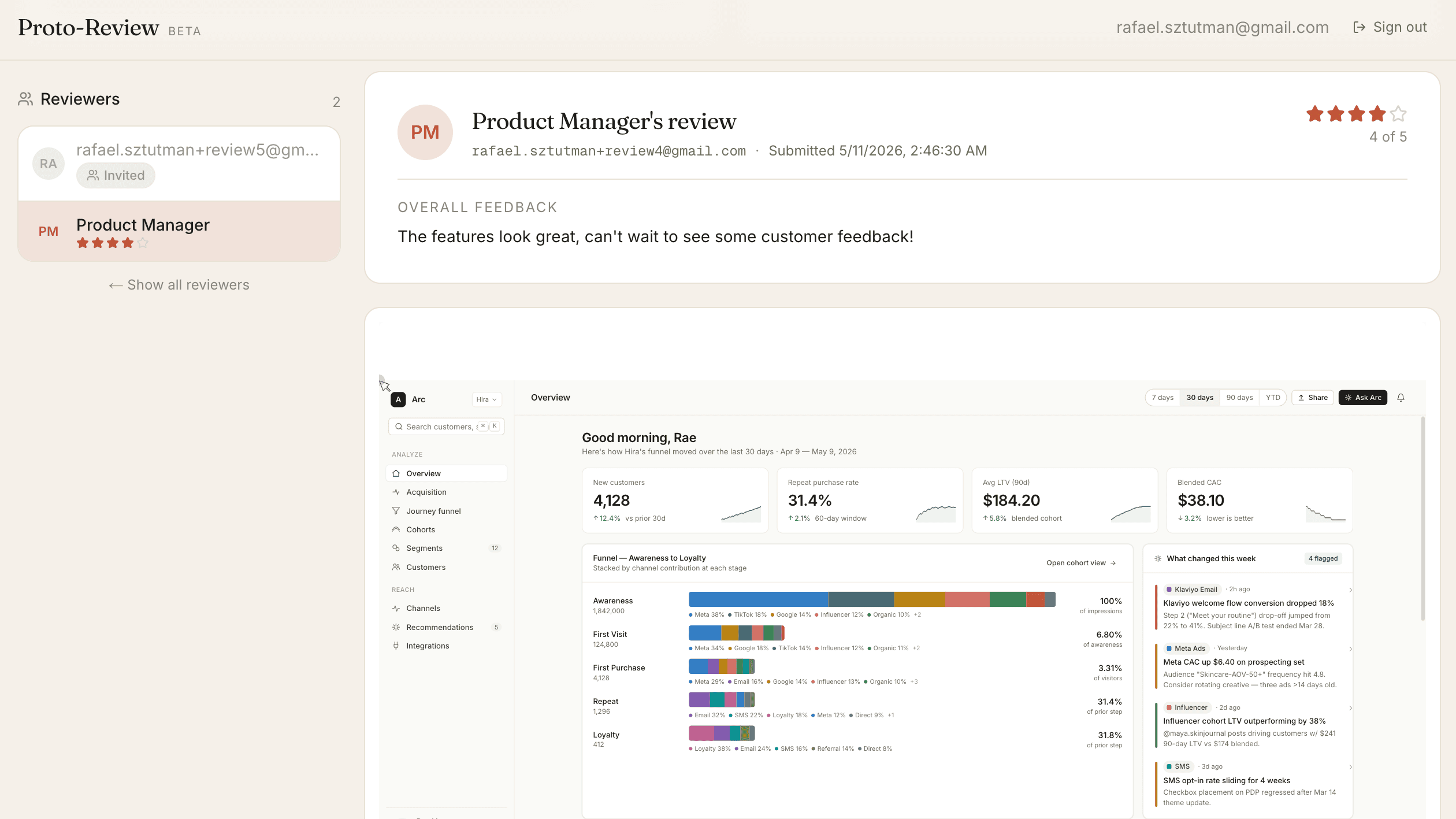
What it does
Proto-Review takes a Claude Design prototype, wraps it in a sandboxed
iframe, and turns "send me feedback" into a real loop. The PM uploads
a .zip, picks a list of reviewer emails, and shares one link.
Reviewers identify themselves, drop Figma-style pins on specific
elements, score the prototype 1–5, and submit. The whole session is
recorded with rrweb. The PM gets a replay where pinned comments and
behaviour signals — dead clicks, rage clicks, hesitation pauses — show
up as coloured ticks directly on the timeline. There's a public
read-only demo so you can poke at the full PM-side workflow without
signing up.
Why I built it
The thing prototypes lack is a feedback container that's anchored to the UI instead of someone's Slack window. Designers ship a Loom; PMs ship a shared doc; reviewers ship a paragraph. Nothing points at "this button on this screen." I wanted a tool that defaulted to specific, evidenced feedback the same way Figma does for static designs — but for runnable prototypes — and that left enough behind that you could re-watch the review without scheduling a sync. It was also my excuse to build a full product loop end-to-end: auth, uploads, isolation, recording, replay, behaviour analytics, and a real product UI from a brand identity (Claude's cream + terracotta) rather than a generic shadcn template.
How it works
The app is Next.js 16 + Drizzle on Neon Postgres, with prototype files
and gzipped recording chunks in Vercel Blob. On upload the server
extracts the zip, injects an agent <script> into the prototype's
index.html, and streams the assets back through a route handler with
a strict frame-ancestors CSP. The reviewer's iframe runs the agent,
which loads rrweb from a CDN, throttles mousemove sampling, gzip-chunks
events every ~10s, and ships them to the parent over postMessage.
Comment placement walks the click target's DOM path and captures a
fingerprint (tag, sorted classes, text, role, aria-label, id, data-*,
parent text) plus the click point as an offset within the element —
so pins land where the user clicked and re-resolve to the same element
across React re-renders even when the DOM identity is gone. On submit
the server stitches the chunks (bounded-parallel blob fetches, capped
decompressed size), runs three pure-function insight detectors over
the timeline, and caches the result on the session row. Insights and
comments are then synthesised back into rrweb custom events and passed
to rrweb-player via its tags prop, which renders them as coloured
ticks on the timeline scrubber.
What I learned
Three things stuck.
A Claude Design .zip is React at runtime, not static HTML. The
export is a single-page React app where every "screen" is component
state, not a URL. That breaks the obvious "a comment lives at a URL
plus coordinates" model — the same coordinates land on different
screens, and React remounts elements on every interaction. The
anchoring scheme that survived all of that: store a structural CSS
path plus a content fingerprint (id, sorted classes, first 40 chars
of text, role, aria-label, data-*, parent text) plus the click
offset within the element. On render, re-resolve in tiers — unique
path wins outright; ties break by fingerprint score; no-path-match
falls back to fuzzy tag matching. Pins stick to their element across
re-renders even though the DOM node identity is gone. This is the
kind of indirection you don't see coming until you try to comment on
something that won't sit still.
rrweb gives you a tape; "what happened" is your job. rrweb
captures everything — mutations, mouse moves, clicks, scrolls, input
— but the high-level signals a PM actually wants ("dead click,"
"rage click," "hesitation pause") aren't in the box. You build them
in two halves. The iframe agent emits a custom pr_click event at
click time with an element label computed by walking up to the
nearest interactive ancestor, because rrweb's built-in click event
has only a mirror id, not the kind of button: "Submit" string a PM
wants to read. The server stitches the gzipped chunks at submit, runs
three pure-function detectors over the timeline, and caches the
result on the session row. Then I synthesised those insights back
into rrweb custom events and passed them as tags to rrweb-player,
which renders them as coloured ticks directly on the progress bar.
Same data, surfaced as a UX affordance instead of a side panel.
Trust boundaries shape your architecture. The reviewer's
prototype is third-party code that needs to run inside the app and
report behaviour back. Sandboxed iframes are the right tool, but
they're stricter than they look: allow-scripts alone gives the
iframe a null origin, and most modern React apps quietly do
same-URL operations (history.pushState, location writes) that
browsers silently block from null origins — halting the prototype
mid-render. Adding allow-same-origin makes the iframe work but lets
prototype code call your authed APIs as the reviewer, which is a
real risk if you don't control the upload source. The production
answer is a separate subdomain so the trust grant doesn't reach app
cookies. The shorter lesson: every iframe security decision has UX
consequences and vice versa, and "just sandbox it" rarely covers it.